> ## Documentation Index
> Fetch the complete documentation index at: https://archie.com/docs/llms.txt
> Use this file to discover all available pages before exploring further.
# When to run the build
> Signals that your blueprint is ready, and how prototype, frontend, and backend generation fit together.
Generating costs time and credits. Generating from a blueprint that is not ready wastes both. This page covers the signals that you are ready and how generation is split into three steps: prototype, frontend, and backend.
## Ready to build
You are ready when:
* You have read every section of the blueprint
* The Modules section lists everything you need and nothing you do not
* User types are named and described concretely
* System services and integrations match your intent
* The tech stack is what you want or you have consciously left the default
* You can describe what the built app should do without referring back to the blueprint
If those are true, generate the prototype.
## Not ready to build
Hold off if:
* You have not read the blueprint sections yet
* A section "feels off" but you have not articulated why
* Modules describe features you are not sure you need
* User types are still labeled with placeholders ("User", "Admin")
* You have never opened the blueprint chat to ask a question
In each case, an extra few minutes of editing now saves a wasted build.
## Three generate actions, not one build
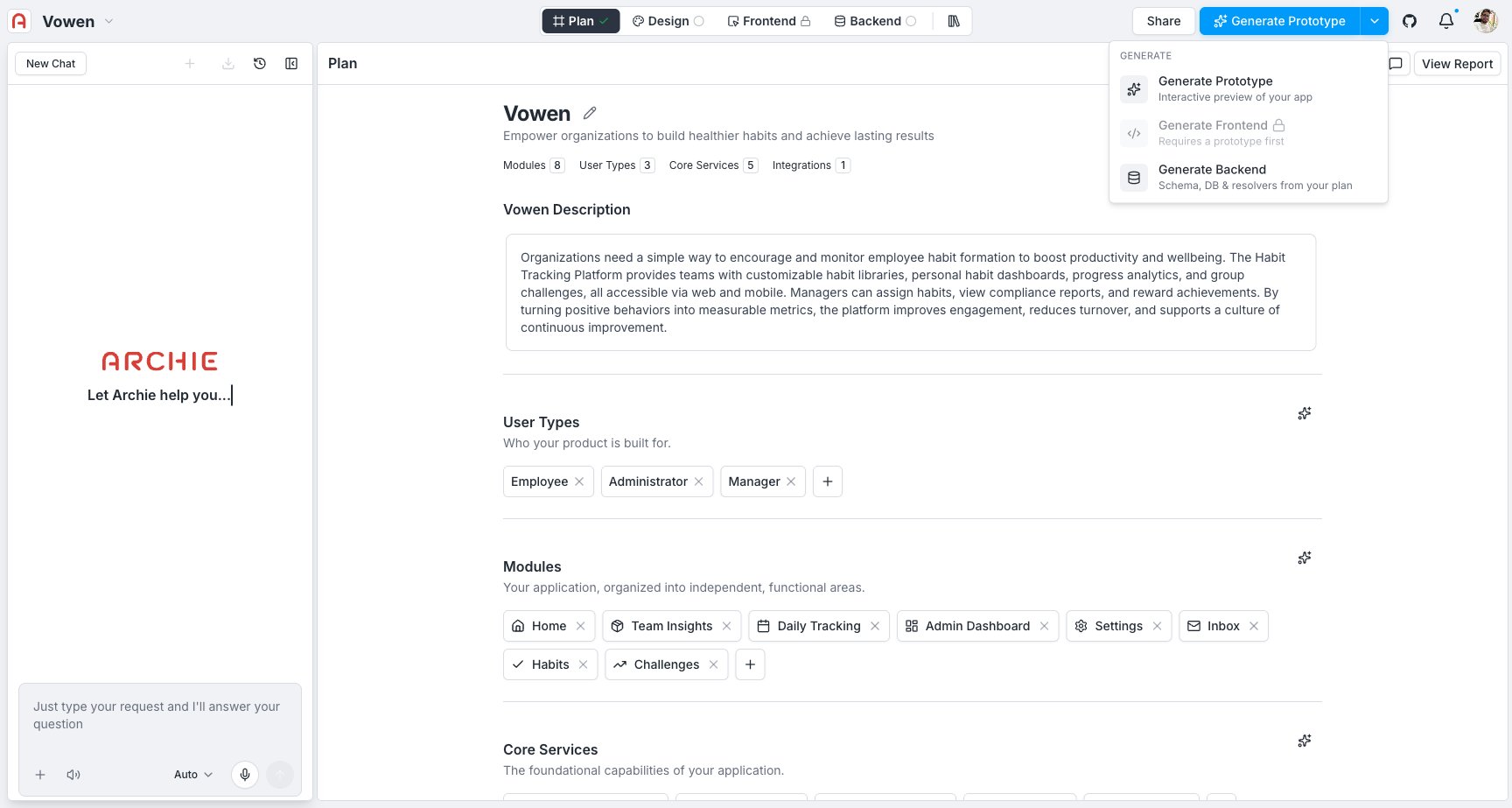
There is no single "build" button anymore. Once you are ready, generation happens in three separate steps, each triggered from the **Generate** menu on the blueprint page:
* **Generate Prototype** — an interactive, click-through preview of every screen your blueprint describes, wired together with real navigation and your design system. Nothing is connected to real data or a real backend yet.
* **Generate Frontend** — turns the prototype into production frontend code. This is **locked until a prototype exists** — Archie always builds the real UI on top of a prototype you have already reviewed.
* **Generate Backend** — generates the schema, database, and resolvers straight from the blueprint. It does not depend on the prototype, so you can run it before, after, or alongside the other two.
 For a first project, generate the prototype first, review it, then generate the backend and frontend once you're happy with the direction.
### Picking a model
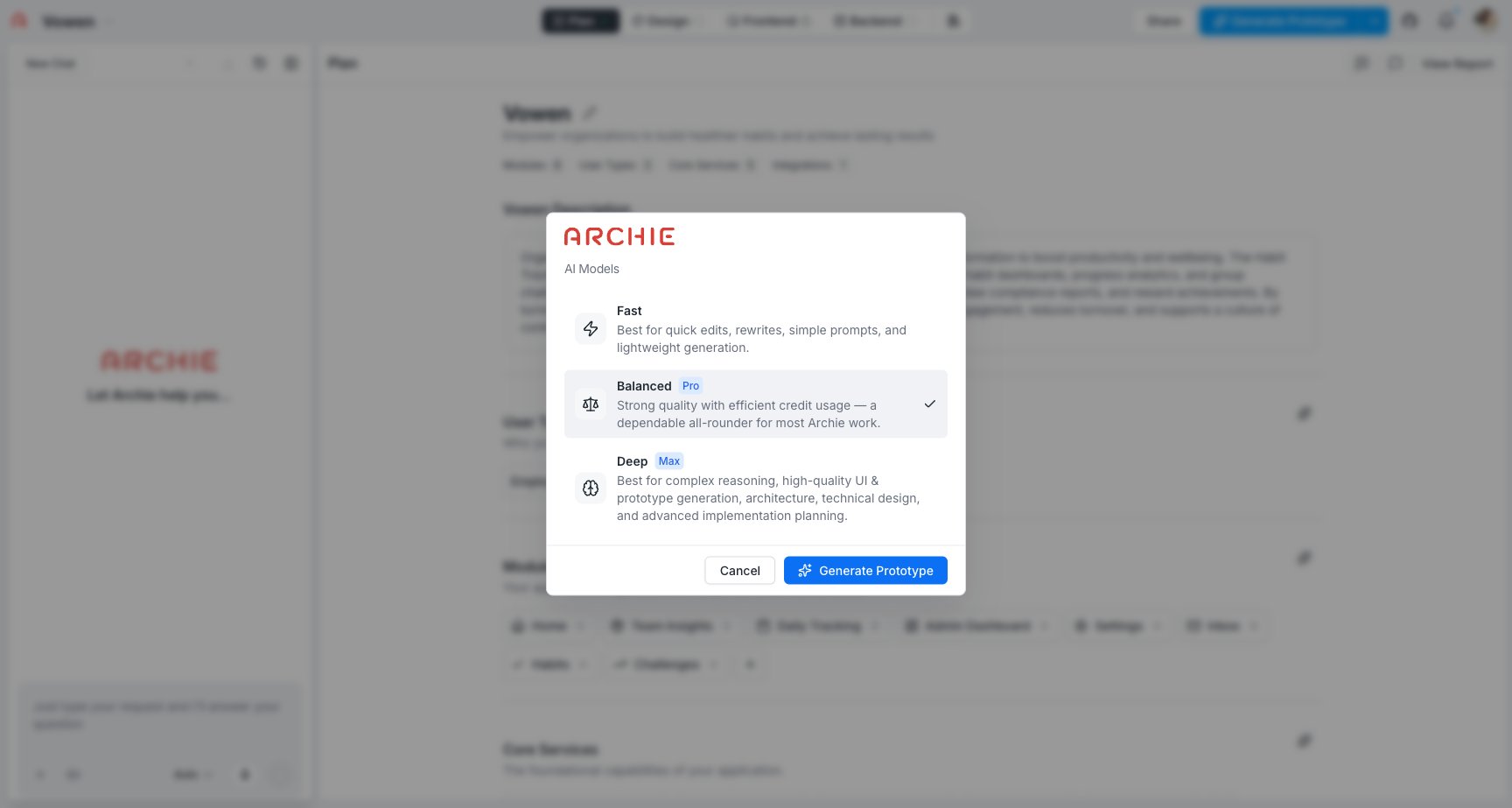
Each generate action opens a model picker first:
* **Fast** — quick edits, rewrites, lightweight generation
* **Balanced** — strong quality with efficient credit usage; the default for most work
* **Deep** — best for complex reasoning, high-quality UI, architecture, and advanced implementation planning
For a first project, generate the prototype first, review it, then generate the backend and frontend once you're happy with the direction.
### Picking a model
Each generate action opens a model picker first:
* **Fast** — quick edits, rewrites, lightweight generation
* **Balanced** — strong quality with efficient credit usage; the default for most work
* **Deep** — best for complex reasoning, high-quality UI, architecture, and advanced implementation planning
 ## Why prototype is a required step
The prototype sits between the blueprint and Frontend generation on purpose. It exists to catch design and navigation problems while they are still cheap to fix — moving a screen or rethinking a flow costs nothing close to redoing generated frontend code.
Treat it like a dedicated prototyping tool:
* Click through the generated screens as a user would and confirm the flows hold together end to end
* Set the visual direction in [Design](/docs/features/design/overview) — theme, color, type, spacing — and see it applied across every generated screen at once
* Leave [comments](/docs/features/design/comments) on anything that needs another pass
## Why prototype is a required step
The prototype sits between the blueprint and Frontend generation on purpose. It exists to catch design and navigation problems while they are still cheap to fix — moving a screen or rethinking a flow costs nothing close to redoing generated frontend code.
Treat it like a dedicated prototyping tool:
* Click through the generated screens as a user would and confirm the flows hold together end to end
* Set the visual direction in [Design](/docs/features/design/overview) — theme, color, type, spacing — and see it applied across every generated screen at once
* Leave [comments](/docs/features/design/comments) on anything that needs another pass
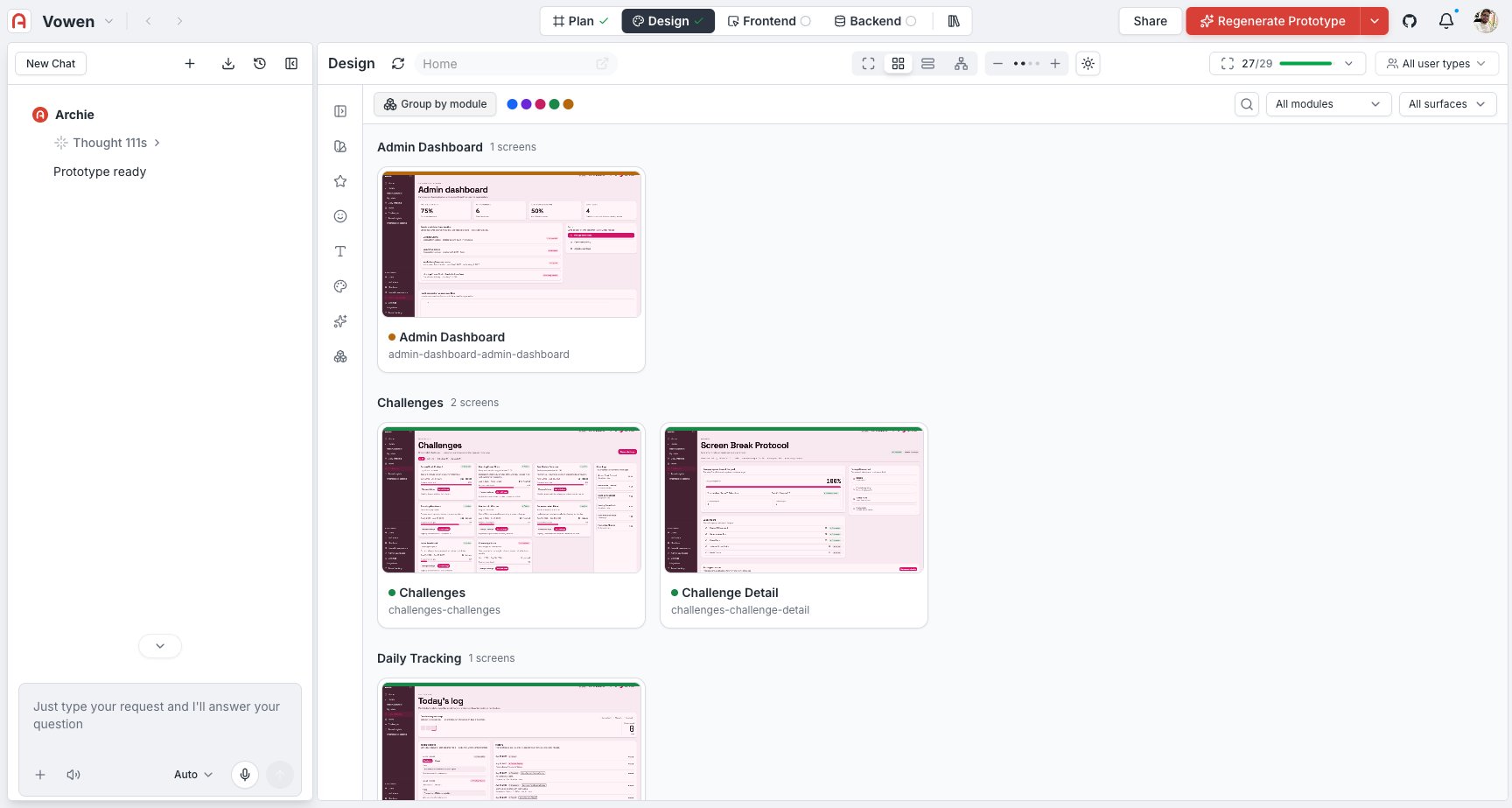 Everything you land on here becomes the starting point for the real frontend.
## After generating
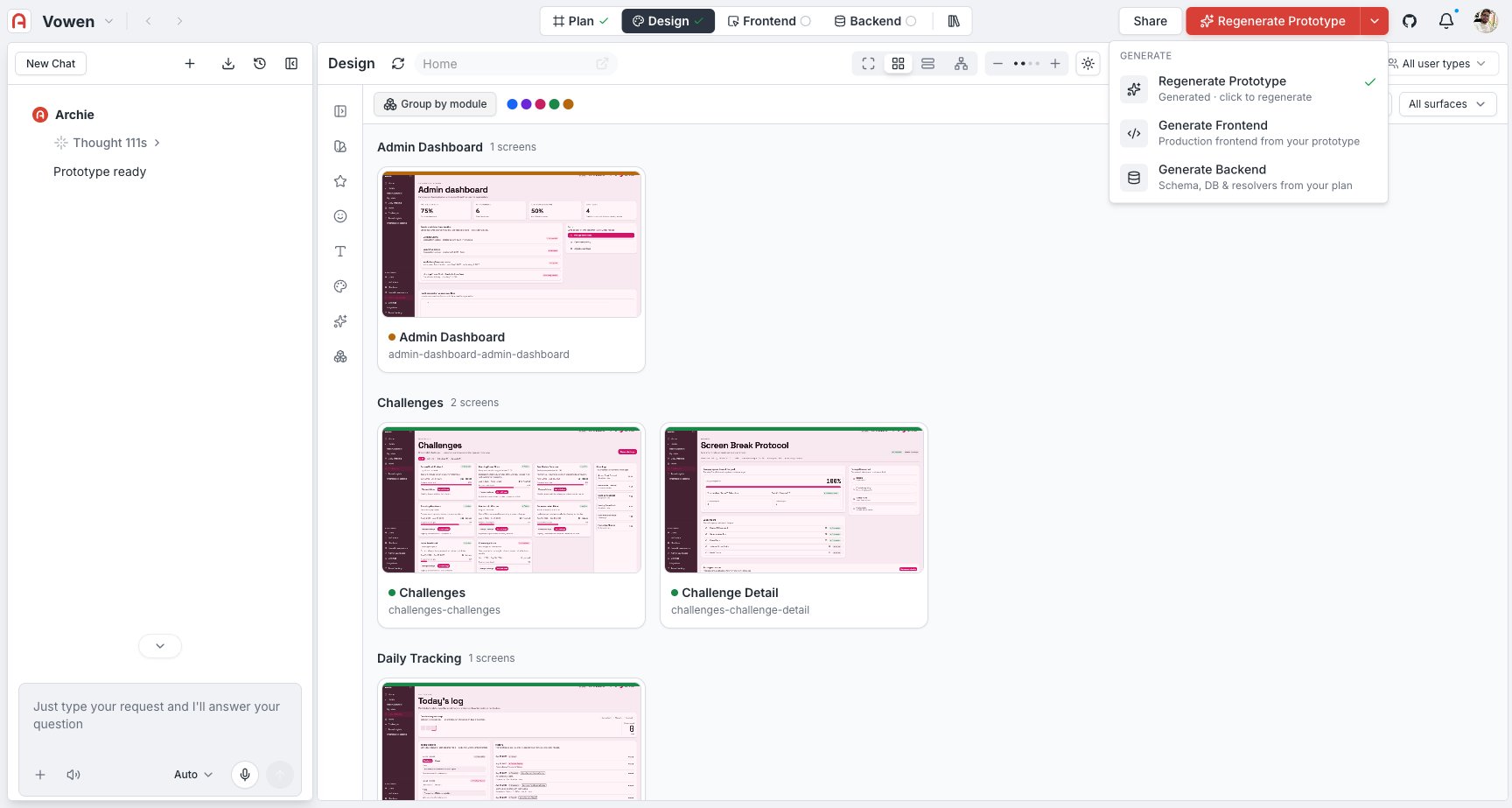
* **Prototype** — lands you in [Design](/docs/features/design/overview) with a navigable, click-through preview. No real data or backend yet. **Frontend** unlocks once it finishes.
* **Backend** — schema, database, and resolvers are ready; connect the frontend to them from [Frontend → Connecting to the backend](/docs/features/frontend/connecting-to-the-backend).
* **Frontend** — lands you in the [visual editor](/docs/features/frontend/visual-editor) with a running app built on the reviewed prototype.
Everything you land on here becomes the starting point for the real frontend.
## After generating
* **Prototype** — lands you in [Design](/docs/features/design/overview) with a navigable, click-through preview. No real data or backend yet. **Frontend** unlocks once it finishes.
* **Backend** — schema, database, and resolvers are ready; connect the frontend to them from [Frontend → Connecting to the backend](/docs/features/frontend/connecting-to-the-backend).
* **Frontend** — lands you in the [visual editor](/docs/features/frontend/visual-editor) with a running app built on the reviewed prototype.
 From there:
* Edit visually and live
* Edit code in the IDE
* Re-run Frontend or Backend generation for surgical updates
* Edit the blueprint and regenerate for larger changes
## FAQ
The prototype is where design and navigation decisions get made and reviewed. Skipping it would mean making those calls inside real frontend code, which is far more expensive to redo.
No. Frontend generation uses whatever theme and screens are in place at the time. Many teams pick a theme, check a few key screens, and generate — then fine-tune from the frontend afterward.
The page shows the error and credit usage. Failed generations are not charged in full.
Most projects generate the prototype once or twice while dialing in the design, then backend and frontend once each. If you are regenerating the frontend often, that usually means the prototype needed another pass first.
From there:
* Edit visually and live
* Edit code in the IDE
* Re-run Frontend or Backend generation for surgical updates
* Edit the blueprint and regenerate for larger changes
## FAQ
The prototype is where design and navigation decisions get made and reviewed. Skipping it would mean making those calls inside real frontend code, which is far more expensive to redo.
No. Frontend generation uses whatever theme and screens are in place at the time. Many teams pick a theme, check a few key screens, and generate — then fine-tune from the frontend afterward.
The page shows the error and credit usage. Failed generations are not charged in full.
Most projects generate the prototype once or twice while dialing in the design, then backend and frontend once each. If you are regenerating the frontend often, that usually means the prototype needed another pass first.